
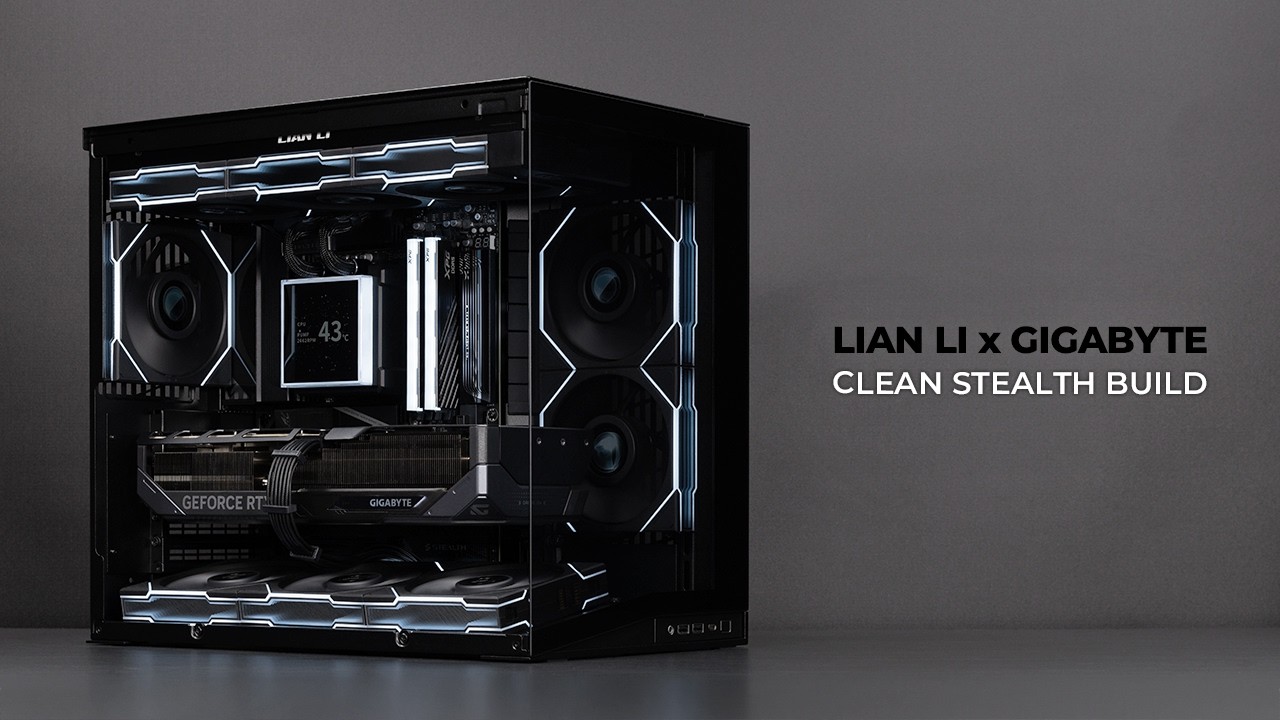
I’ve been waiting a long time for the GIGABYTE AORUS Stealth motherboard in black with a back connector design.
While it’s slightly different from the ICE version, the overall layout is very similar.
For this build, I used the Lian Li O11D Mini V2 case along with Lian Li TL Wireless fans and the HydroShift II LCD-S 360TL.
From an aesthetic perspective, this is one of the cleanest gaming PC builds I’ve done.
In the video, I accidentally used the stock AMD bracket screws for the AIO CPU cooler.
Before the cinematic showcase, I replaced them with the correct screws from the HydroShift II LCD-S 360TL.
The 9850X3D shows almost no temperature difference compared to the 9800X3D.
In this video, Advanced PBO with Curve Optimizer (-20) was applied for optimized performance and efficiency.
Chapters
00:00 Intro
00:35 Motherboard Assembly
01:25 Case Assembly
03:20 Fans and CPU Cooler Assembly
06:21 Cinematic Showcase
07:13 Fan Configuration and Thermals
PC Parts
CPU: https://amzn.to/3P2lrTp
GPU: https://amzn.to/413fXu5
Motherboard: https://amzn.to/4lGkRqN
Memory: https://amzn.to/4bnoDQV
Storage: https://amzn.to/4s86nCy
Case: https://amzn.to/4uuD7HB
CPU Cooler: https://amzn.to/4bjHJay
Side Fans: https://amzn.to/4bk4yer
Bottom Fans: https://amzn.to/4jjtark
Rear Fan: https://amzn.to/4b4lAhM
PSU: https://amzn.to/46ScnGI
Additional Parts
Thermal Paste: https://amzn.to/3LgQn0u
CPU Contact Frame: https://amzn.to/48ZOpJG
Screwdriver: https://amzn.to/3Y55hdf
As an Amazon Associate, I earn from qualifying purchases.
Sponsored by Lian Li | Gigabyte
#lianli #aorusgaming #9850x3d